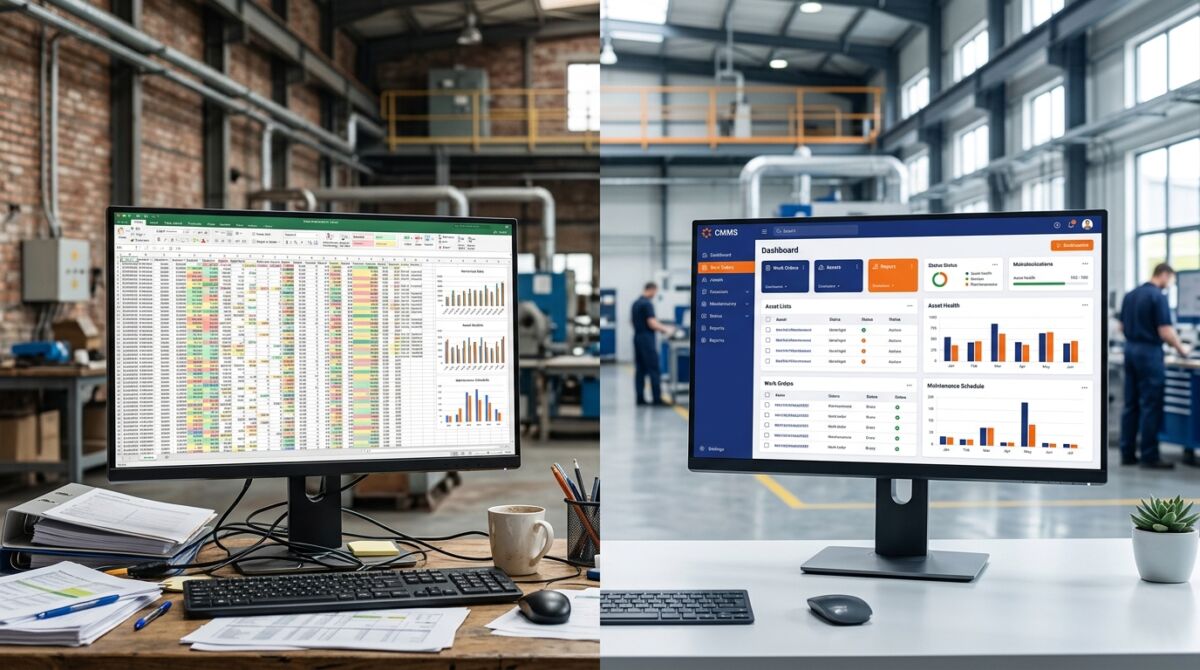
More than 60% of industrial SMEs still track their maintenance in Excel. As long as the fleet is small, it holds up. But as soon as equipment multiplies and downtime gets expensive, the spreadsheet shows its limits. Here are the 5 signs it’s time to switch to a CMMS.
What is a CMMS?
Under the EN 13306 standard, maintenance covers “all technical, administrative and management actions intended to keep or restore an asset to a specified state”. A CMMS (Computerized Maintenance Management System) is the software that steers these actions in a structured way.
Unlike Excel, it works as a centralized database accessible to the whole team: equipment records, intervention histories, preventive planning and performance indicators, gathered in a single tool. The goal: reduce breakdowns and improve machine availability.
Excel’s limits for maintenance
Excel remains handy for administrative tasks, but quickly hits its limits when it comes to steering industrial maintenance:
- No automation: planning is manual, omissions frequent as the fleet grows.
- Complicated collaboration: several versions of the same file circulate (local, server, email), impossible to know which is authoritative.
- Limited traceability: hard to find the history, replaced parts or inspections during an audit.
- Time-consuming analysis: reliable KPIs require consolidations, complex formulas and constant updates.
CMMS vs Excel: the differences
| Criterion | Excel | CMMS (e.g. MAINTEX) |
|---|---|---|
| Centralization | Multiple files | Single database |
| Logging interventions | Paper then re-entry | Direct mobile entry |
| Planning | Manual | Automatic with alerts |
| Indicators | Manual calculations | Dynamic dashboards |
| Traceability | Incomplete history | Complete history |
| Audit | Long preparation | Data available immediately |

The 5 signs you should switch to a CMMS
1. You spend hours on Excel every week
Beyond 2 h/week updating files, the hidden cost becomes considerable:
2. You don’t know the real maintenance cost per machine
In Excel, cross-referencing labor, spare parts and external interventions is tedious and rarely complete. A CMMS centralizes everything and reveals the most expensive assets.
3. Unplanned breakdowns exceed 30% of interventions
That’s the sign of poorly optimized preventive. The MTBF and MTTR indicators help adjust maintenance plans.
4. Your technicians still work on paper
Writing on paper then re-entering data wastes time, creates errors and incomplete data. A mobile CMMS lets you log the intervention directly in the field.
5. You prepare your audits in a rush
Histories, inspections, corrective interventions: with a CMMS, everything is accessible in seconds instead of several days of preparation.
Discover in 30 minutes how to structure your maintenance and leave Excel behind in a few weeks.
Key indicators to steer maintenance
Under the EN 15341 standard, several KPIs assess maintenance performance, all calculated automatically by a CMMS:
- MTBF: mean time between failures (reliability);
- MTTR: mean time to repair (responsiveness);
- Operational availability: MTBF / (MTBF + MTTR);
- Preventive compliance rate: completed / planned.
How to choose the right CMMS software
- Mobility: usable on smartphone and tablet by technicians;
- Simplicity: a tool that’s too complex won’t be adopted;
- Built-in indicators: the essential KPIs available from installation;
- Connectivity: possible integration with your ERP;
- Support: responsive assistance at deployment.
Why many companies choose MAINTEX
MAINTEX digitalizes maintenance while staying simple to deploy: equipment centralization, preventive planning, real-time intervention tracking and a mobile app to document from the field. The result: structured maintenance and decisions based on reliable data.
In 30 minutes, see how MAINTEX structures your maintenance and makes your equipment reliable.